Trusted by
+8,000 3ds Max artists worldwide.

3ds Max Render Farm

Everything you need to render 3ds Max projects in the cloud. Support for all recent 3ds Max versions, popular render engines, industry-standard plugins, and 24/7 assistance from real 3ds Max artists.
Start With $50 Free Credits
No credit card. No watermark.
Fully automated CPU & GPU

Why choose our render farm for 3ds Max

From V-Ray and Corona to Forest Pack and RailClone, GarageFarm integrates directly into your existing 3ds Max workflow. Submit projects from within 3ds Max, scale rendering on demand, and get support from experienced 3D artists whenever you need it.

Scalable CPU & GPU power for faster 3ds Max rendering

Access additional CPU and GPU power whenever you need it. Render faster without investing in expensive hardware or maintaining dedicated render machines.

Pay for rendering - not hardware

Save money on hardware upgrades and pay only for the exact cost and time of your render process, avoiding an expensive local workstation or personal computer.

Real 3D Artists, 24/7

Need help before a deadline? Our support team consists of experienced 3D artists who understand 3ds Max workflows and can help troubleshoot rendering issues around the clock.
Blue icon depicting a grid of four small squares arranged in a 2x2 layout.

Built for Large Projects

We handle massive Autodesk's 3ds Max projects, from simple architectural visual effects to complex VFX.
Built for the most demanding 3d computer graphics pipelines

Seamless 3ds Max cloud rendering

Rendering locally can lock up your machine for days, especially when dealing with heavy geometry, simulations, or complex lighting. Finding a reliable online rendering solution shouldn't be a struggle for artists.

Our dedicated 3ds Max cloud rendering eliminates this bottleneck by seamlessly integrating into your interface. Whether you need to render animations or high-resolution stills, we handle the heavy lifting.
Supported 3ds Max versions & 3D software

We support almost all recent versions and newer versions of 3ds Max to ensure your render farm service runs without a hitch. We also fully support popular 3ds Max render engines such as V-Ray, Corona, Redshift, and FStorm along with all industry standard plugins, and continuously work on expanding and improving the support. If you need 3ds Max, Maya, or other 3d software environments, we have you covered.

3ds Max

R18 - R26 S22 - S26 2023 - 2025+

render engines

Redshift
2+, 3+, 3.5+, 3.6+, 2025+
V-Ray
3.4 - 7+
Corona
0.6 - 12+
ProRender
upon request
Arnold
Cycles 4D
early support
Native Renderer

supported OS

Windows Windows

Supported plugins for 3ds Max

Our renderfarm fully supports a massive library of 3ds Max plugins to ensure your scenes render exactly as they look locally, including ForestPack, RailClone, Anima and more.
results faster

Benefits of using GarageFarm 3ds Max render farm.

Accelerate your workflow with access to massive CPU and GPU power. Stop waiting for frames locally and scale your production with a fully customizable server environment.

Easy, quick, artist friendly setup
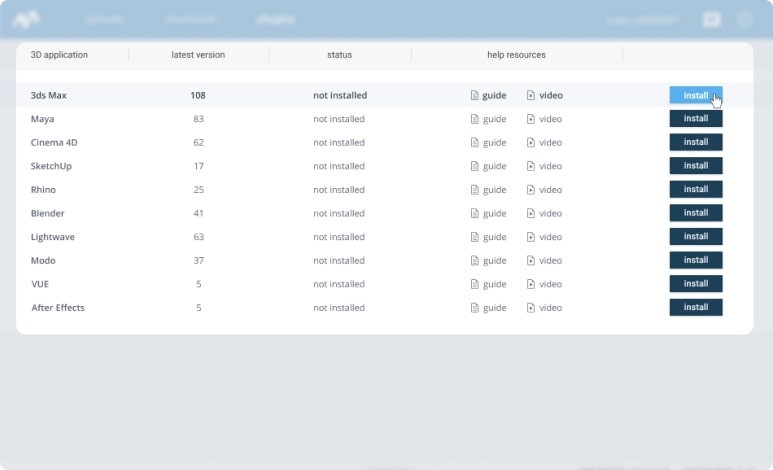
You can install our application just like any other app you have. The integration with your 3D software doesn't require any additional setup. Our plugin will connect you with the farm automatically and out of the box.

Seamless integration with your pipeline
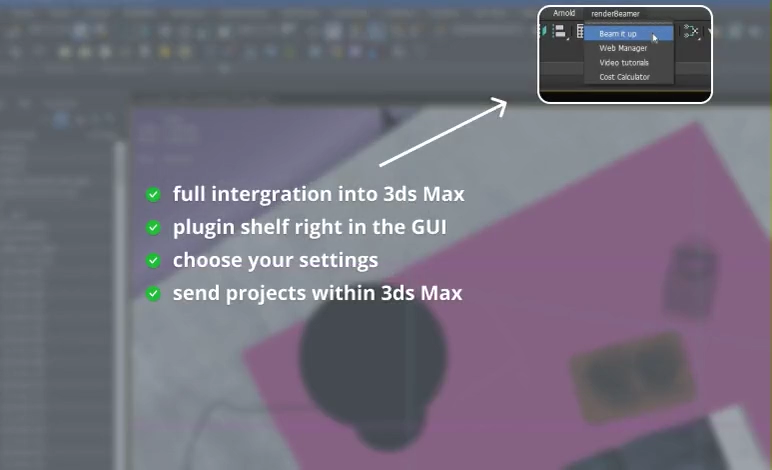
Our 3ds Max plugin is integrated with your application and does all the heavy lifting for you. It allows you to securely send a scene to the farm as it is, in the environment you’re most familiar with.
Pricing table comparing Basic, Pro, and Enterprise plans with features and monthly prices starting at $19, $49, and custom pricing respectively.Pricing plans comparison with three options: Basic plan at $9/month, Pro plan at $29/month, and Enterprise plan at $99/month, each with different features listed.

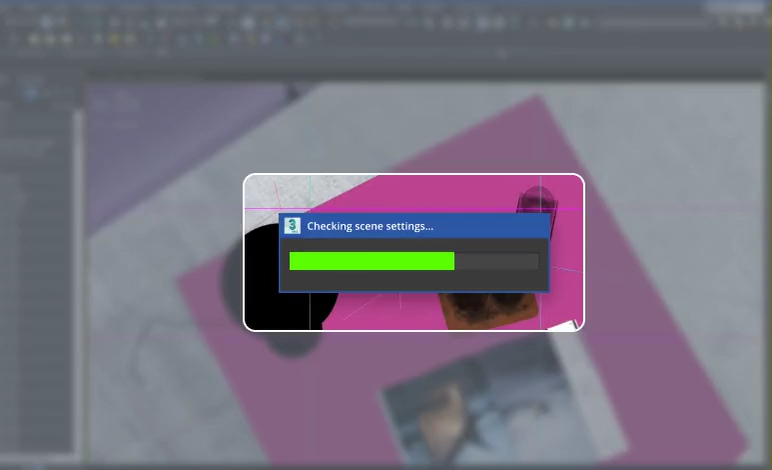
Smart scene-setting check

You won't have to wonder how to prepare the scene for rendering on the farm or worry that something isn't done well. Our application will check your scene and its settings right before you upload it to the farm, and will notify you if something needs your attention.

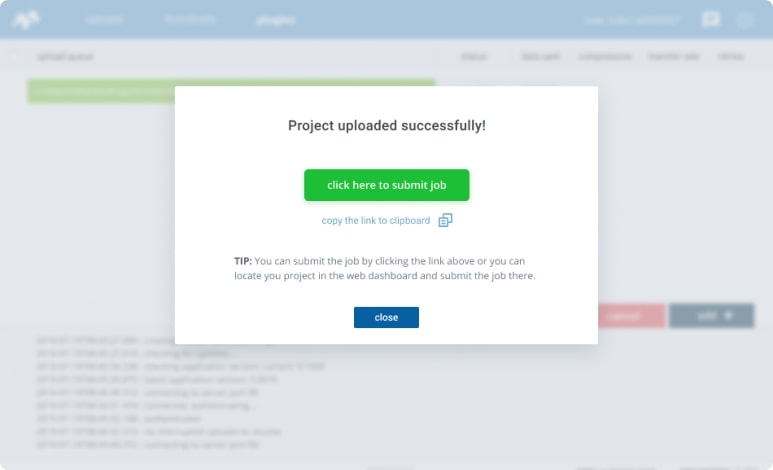
Automated uploads and downloads

When your scene is ready to render, just click one button in our 3ds Max plugin and our application will prepare the whole project package and will upload it to the farm. As soon as the frames finish rendering, they will automatically download back to your local computer.
Pricing table comparing Basic, Pro, and Enterprise plans with features and monthly prices starting at $19, $49, and custom pricing respectively.Pricing plans comparison with three options: Basic plan at $9/month, Pro plan at $29/month, and Enterprise plan at $99/month, each with different features listed.

Intuitive and easy to use interface

We built our application with artists and designers in mind. It's easy to use and navigate around the interface. You won't feel intimidated by complex configuration or technical terminology because we made it easy for you, so you can get started in no time.

Activity monitoring and notifications
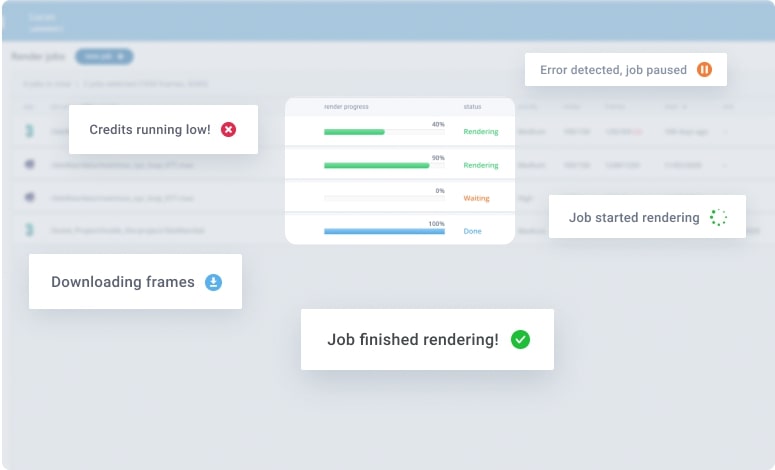
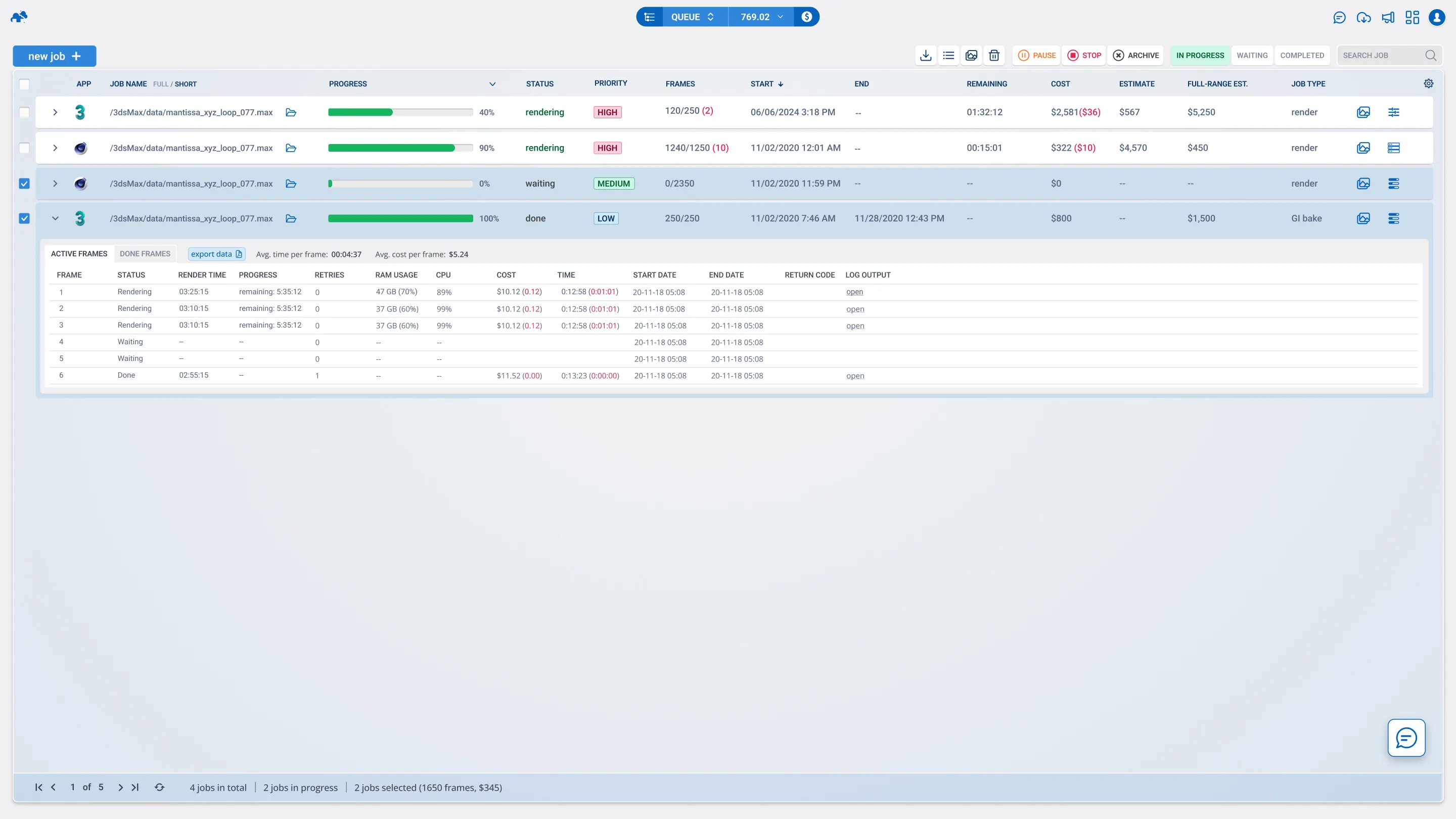
Every process and activity on your render farm account can be previewed and monitored with ease. Whether you'd like to see the upload process, render progress, render logs, preview frames, or know about errors, we have it all and will notify you based on your preference.
Pricing table comparing Basic, Pro, and Enterprise plans with features and monthly prices starting at $19, $49, and custom pricing respectively.Pricing plans comparison with three options: Basic plan at $9/month, Pro plan at $29/month, and Enterprise plan at $99/month, each with different features listed.

Cost estimation and cost control

Curious how much you'll pay to render a project or how long it would take? We have tools to help you estimate cost and time of using our render farm. You will be able to get a rough estimate before even committing to the service or get an accurate estimate at the fraction of the cost.

24/7 live chat support (no bots)

We mean it when we say our support is 24/7. Not only that, our team responds to messages almost instantly and is available for a chat in real-time. We'll help you with getting started, with troubleshooting issues, or even provide practical advice on how to use the service most efficiently.
Pricing table comparing Basic, Pro, and Enterprise plans with features and monthly prices starting at $19, $49, and custom pricing respectively.Pricing plans comparison with three options: Basic plan at $9/month, Pro plan at $29/month, and Enterprise plan at $99/month, each with different features listed.
Rendering 3ds Max, VFX, and 3D animation projects at high speeds requires optimized GPU and CPU power. Our 3ds Max cloud render farm delivers unmatched performance, eliminating bottlenecks and streamlining complex rendering workflows for architectural visualizations, photorealistic renders, and motion graphics.
Tutorials

Tutorials and guides for 3ds Max artists
FAQ

Render farm FAQ

Got questions before you start? Here is everything you need to know about our cloud rendering for 3ds Max service.

How do I configure my scene for the farm?

Just download and install our dedicated plugin. It automatically packs your textures, checks your settings, and prepares the upload directly from your software.

Which renderers do you support for 3ds max?

We support all major engines including V-Ray, Corona, Redshift. Whether you need a cpu or gpu cloud rendering setup, we have the hardware for your renderer.

Do you support distributed rendering for still images?

Yes, we support high-resolution still image rendering using a custom strip rendering setup across multiple nodes. This ensures fast delivery by utilizing a massive number of cores simultaneously.

Is GarageFarm better than RebusFarm or Ranch Computing?

As a leading 3ds Max render farm, we offer a highly automated workflow, real 24/7 human support, and highly competitive pricing compared to alternatives.

What happens if I forget to include a texture?

Our 3ds Max plugin automatically scans your scene for missing assets before you upload. It will prompt you to resolve any missing textures or caches to prevent failed renders.

Can I use both CPU and GPU nodes?

Yes, you can choose between our high-density CPU nodes or our multi-GPU systems depending on your chosen render engine. Redshift and V-Ray GPU run incredibly fast on our Nvidia hardware.

How do I monitor my render progress?

You can track your job in real-time using our Web Manager interface. Once a frame finishes, our app automatically downloads it back to your local workstation.

What if my render fails due to a system error?

Our support team monitors the farm 24/7. If a task fails due to an error on our servers, you will be fully refunded for that job. To avoid this, it is important to run test jobs, which we set by default.

Do you support older versions of 3ds max?

We actively support versions of 3ds Max from 2016 up to the latest releases. If your need 3ds Max projects rendered on an extremely old build, please contact our tech support to verify compatibility.

Join thousands of 3D artists already rendering in the cloud.
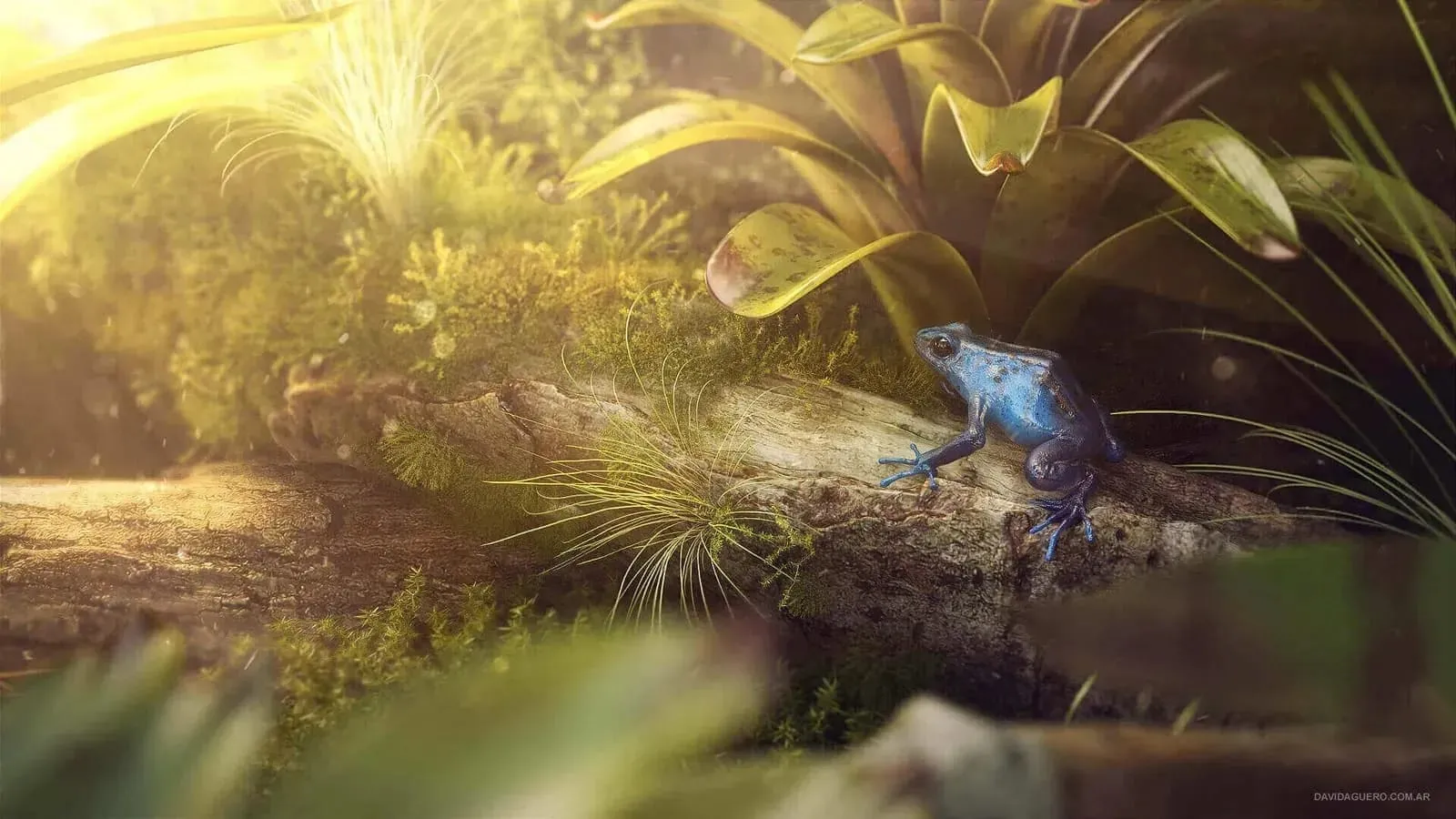
Blue frog perched on a log surrounded by green plants and sunlight.
by David Aguero
Futuristic Pet Habitat
Blue Hyundai Sonata sedan parked on wet reflective surface under cloudy sky.
Hyundai Sonata
by Digital Tricker
Modern house with floor-to-ceiling glass walls, showing a white dining table with chairs and a red kitchen inside.
Luxury Home
by TECHART
Animated pirate chef with a skull-and-crossbones hat pouring a dark liquid from a bottle labeled 'CAGO' into a pot inside a wooden cabin.
Cooking with Fire
by Joel Best
24/7 render farm technical support

Need help with your 3ds Max render farm projects?


Security & Certifications

Reliable and secure

You can be confident that projects rendered at GarageFarm are secure
ISO 27001 CERTIFIED Render Farm

2M+ projects rendered successfully

We  processed over 2 million projects worldwide, delivering consistent quality and speed for every user.

Holding ISO 27001 certification

We comply with the highest security standards, ensuring your data is handled safely and reliably.

Additional security through NDA

Projects are protected with NDAs, giving you complete confidentiality and peace of mind.
Calculator

Calculate your render times

Want to render your next project but unsure of the budget? Run a quick estimate to see how much time and money you can save with our render farm for blender.

How long will my project render on the farm?

How much will I pay to render my project?

What priority should I choose?